

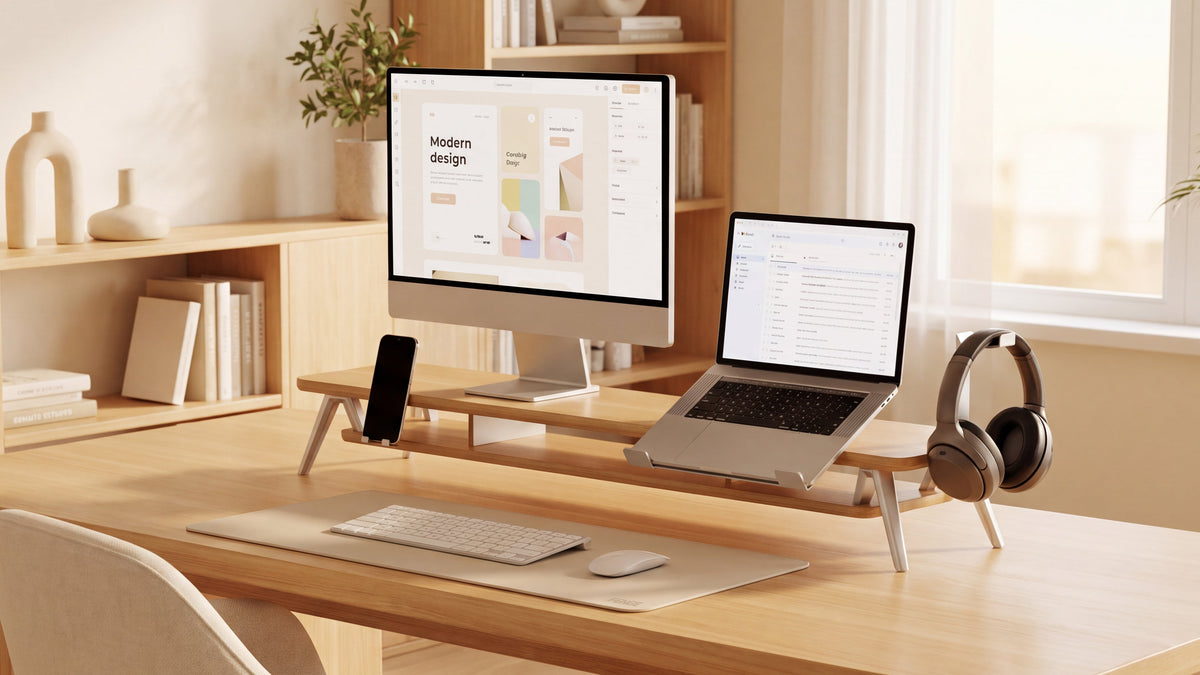
How to Choose a Dual Monitor Riser for Two Screens
Choose a dual monitor riser by measuring both monitor bases in their final positions, checking the full supported load, and working out how much elevation each screen needs. The right platform must also leave enough desk depth for comfortable viewing, keyboard use, and storage access.
Two screens can make it easier to keep a document beside a video call, an editing timeline beside a preview, or a game beside chat. Their stands can also consume the space you need to work. In one /desksetup discussion, a user described two monitor stands making the desk feel cluttered.
A shared riser can create a useful storage level beneath those bases. Whether that helps your desk depends on the fit. Use the following checks before choosing one.
1. Plan How You Will Use Both Screens
Start with the layout you use during an ordinary workday or gaming session. Place both monitors where you want them before measuring their bases. Angling a screen or turning one to portrait can change the space its stand needs.
The Canadian Centre for Occupational Health and Safety's monitor-positioning guidance distinguishes between equal screen use and a primary display. If you use both equally, arrange them in front of you with adjacent edges close together and the screens angled inward. If one is your main screen, place it directly ahead and angle the secondary screen beside it.
| Screen arrangement | Useful starting point | What to check |
|---|---|---|
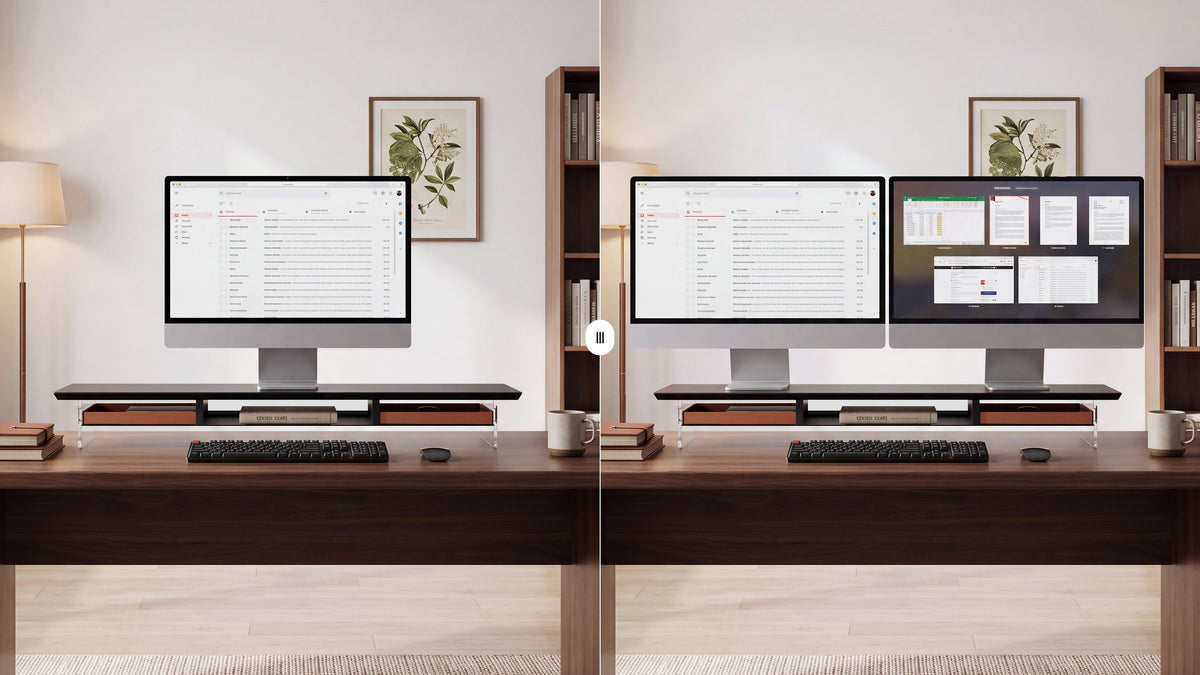
| Two similar screens, used equally | One wide riser can support both included bases on a shared platform. | Combined base footprint, screen spacing, and final height of each display. |
| Main work or gaming screen plus a side display | A long riser or two separate platforms can work. | Keep the main screen centered on your seated position, even if the shelf is not symmetrical. |
| Different monitor sizes or landscape plus portrait | Compare a shared riser with independent supports or adjustable arms. | Different elevation needs, base depth after rotation, and clearance between the screens. |
For a vertical stack, look for a mount specifically designed for that arrangement. A horizontal desktop riser does not provide the mounting structure needed to stack two screens.
2. Measure the Dual Monitor Riser Width and Depth
Measure the bases in their final positions
Check the outermost edges of both stands, including wide feet or curved rear sections. Measure the total left-to-right footprint and its front-to-back depth. Both bases must sit fully on the usable platform in a position the manufacturer permits.
The screen panels may extend beyond the shelf's ends, provided their bases remain fully supported and the arrangement follows the product instructions. Check the overall screen span separately to make sure both displays fit the desk and avoid nearby walls or speakers.
Suppose each base is 10 inches wide, and the gap between their nearest edges is 14 inches. Their combined footprint is 10 + 14 + 10 = 34 inches (86.4 cm).
Allowing an illustrative extra inch at each end gives a planning width of 36 inches (91.4 cm). That allowance is an example, not a manufacturer-specified safety margin. Depth, weight, support positions, and screen clearance still need to pass their own checks.
This is why “fits two 27-inch monitors” cannot replace measurements. Two monitors with the same screen diagonal can have very different stands.
Check depth before committing to a wide shelf
A long platform can still be too shallow. A /ultrawidemasterrace poster seeking a 12-inch-deep riser described finding many shallower options. The practical lesson is to compare usable top depth with your own base, including its rear feet.
Also mark out the riser's footprint on the desk. Leave room for the keyboard, mouse, and the viewing distance you need. A riser can add storage beneath the screens while still taking up more working depth than your desk allows.
The same concern appears with other supports. A /Workspaces commenter discussing a freestanding monitor mount reported a base that protruded 12 inches. That was a mount rather than a shelf riser, but it illustrates why the footprint matters across both options.

3. Check the Combined Weight and Support Layout
Use each monitor's weight with its included stand if that stand will sit on the riser. Add speakers, docks, or other equipment that will rest on top. Product specifications sometimes list a display's weight without its base, so read the labels carefully.
For example, two hypothetical monitors weighing 13 and 15 pounds, plus 2 pounds of accessories, create a 30-pound supported load. The riser must be rated for that full load in the arrangement you intend to use.
Check whether the rating applies to the whole platform, individual sections, or a particular load distribution. An expandable or segmented riser may have different limits across its sections. Keep monitor bases within the supported positions shown in the instructions.
On a long shelf, look at where the legs or brackets sit and how the platform spans between them. Confirm that assembly connections are secure and the feet suit your desktop. A solid-looking material or a photo of two screens is not a substitute for a published load rating.
4. Fit a Computer Monitor Riser to Both Screen Heights
Set your chair and keyboard position first, then check the displays from your normal seated position. Use a relaxed head position and a slightly downward gaze as starting points. For tall or portrait displays, CCOHS advises keeping the top of the screen no higher than eye level. People using progressive or other close-work lenses may prefer a lower screen position.
Measure the extra height each monitor needs. The riser's added elevation is the distance from the desktop to its top surface, including the platform thickness. Combine that elevation with the monitor's own height adjustment.
If one screen needs 2 inches of elevation and the other needs only half an inch, a shared 2-inch riser will require a separate adjustment for the second display. If the original stands cannot provide it, two independent risers or adjustable arms may fit better.
A /desksetup commenter put the priority simply: “As long as it puts the monitor at the right height, it’s great.” Treat that as a fit principle, rather than an endorsement of improvised supports.
CCOHS also uses roughly an arm's length as a starting point for viewing distance, adjusted to the person and task. Try increasing text size if small text makes you lean toward the screen. Screen height, distance, chair position, and breaks all contribute to comfort.
5. Compare Construction, Materials, and Value
A Wooden Monitor Stand or a metal platform?
Choose the finish you like after the fit and load checks pass. Wood can coordinate with a furniture-style home office. Metal can suit a more technical desk setup. In either case, construction and support spacing determine how the platform works under load.
For wood designs, confirm whether the top is solid wood, plywood, or a wood-look surface. For metal designs, review joints, edges, protective feet, and the top surface. On either type, check the clear opening between supports rather than relying on the overall product width.
A /desksetup discussion about desk shelf pricing raises a useful buying question: what are you getting for the extra cost? Compare documented capacity, usable size, finish, storage features, and warranty terms. Pay for features you will use.
6. Make the Space Under the Screens Useful
The advantage of a wide riser is a second level for the equipment you already have. Measure the height, width, and depth of the items you want to store below it. A full-size keyboard may not fit between the supports, even when the shelf itself is wide enough.
Would a Monitor Stand With Drawer help?
A drawer can give adapters, pens, spare cables, and small remotes a dedicated home. Check its internal dimensions and opening clearance. A drawer may occupy space you planned to use for a keyboard or closed laptop, so choose the storage layout around your priorities.
Keep ventilation openings clear if a laptop or dock will operate below the shelf. Leave its controls and connectors reachable, and allow enough cable slack to move the device without tugging on the monitors.
A comment in r/desksetup's desk shelf discussion describes hiding wires on their way to a hanging tray. A shelf can improve the sightline, but plan the cable route too: group leads behind the platform, secure them appropriately, and avoid trapping them under its feet.
One Long Riser, Two Risers, or a Desk Shelf With Monitor Arms?
| Option | Why choose it? | Main tradeoff |
|---|---|---|
| One long dual monitor riser | A shared platform for included stands, with a continuous storage level below. | Both screens receive the same added elevation. Their bases must fit the usable top and permitted load positions. |
| Two independent risers | Separate placement and elevation choices for mismatched screens. | Two sets of supports can divide the storage space and make the desk look busier. |
| Monitor arms | Independent screen placement with fewer original bases on the desktop. | Check VESA compatibility, per-arm load limits, screen-size limits, movement clearance, and desk mounting requirements. |
| Monitor arms plus a desk shelf | Arms position the displays while the shelf organizes speakers, a dock, or accessories. | The shelf still needs desk space. Check that it does not obstruct arm movement or clamp access. |
In a /battlestations discussion, a user asks why someone would add a riser when the monitor is already on an arm. The two can serve separate jobs. A comment on an arm-and-shelf setup in r/desksetup describes placing a soundbar and lamp on the shelf.
In that arrangement, the desk-mounted arms support the monitors and the shelf handles the accessories. Do not clamp an arm to a riser unless the riser manufacturer explicitly permits that mounting method and load.
What the Right Dual Monitor Riser Adds to Your Desk
A well-matched riser can bring three useful changes to a work or entertainment setup:
- Screen elevation that suits you. When the current monitors sit too low, a suitable platform can help place them at a more comfortable height.
- Storage beneath the monitor bases. A measured clear opening can hold the keyboard when you stop working, notebooks during a call, or small devices that otherwise crowd the desk.
- A more organized equipment layout. One shelf can group the two displays and give accessories and cables defined places.
A freestanding platform also lets you keep compatible original monitor stands without requiring VESA mounts or a desk clamp. For a fixed everyday layout, that can be a practical reason to choose a riser. For frequent screen movement, independent arms may suit you better.

Find a Riser That Fits Both Screens and Your Routine
Bring your base footprint, combined weight, desired elevation, and storage measurements to the FENGE dual monitor riser collection. Compare those measurements with each model's current specifications before choosing.
For a desk used for spreadsheets by day and gaming at night, prioritize comfortable screen placement, clear mouse space, and easy access to your everyd
Frequently Asked Questions
How wide should a dual monitor riser be for two 27-inch monitors?
Measure the combined footprint of both bases after arranging the screens. Choose a usable platform that fully supports that footprint in the manufacturer's permitted positions. There is no universal shelf width for all pairs of 27-inch monitors.
Can two different-size monitors share one riser?
Yes, if their bases, total weight, and final screen positions fit. Check each monitor's height adjustment. The shared platform adds the same elevation to both, so it may not align two different screens on its own.
Does a dual monitor riser require VESA compatibility?
A platform riser that supports the monitors on their original bases does not use VESA mounting holes. A product described as a dual monitor stand may instead be a VESA mount, so confirm the design before buying.
Is a monitor riser useful if I already have monitor arms?
It can be useful as a desk shelf for speakers, a dock, or storage. The arms handle screen positioning. Check shelf clearance around the clamps and moving arms, and follow the mounting instructions for each product.
Will a riser make my desk setup more comfortable?
It may help when your current screen height is too low and the new platform preserves a suitable viewing distance. A comfortable setup also depends on your chair, keyboard position, screen use, and movement breaks. Extra elevation is not always beneficial.
Related Articles
Best Multi-Monitor Setup Combinations: What Sizes and Specs Should You Choose?
Share:
Monitor Stand vs. Desk Shelf: What Is the Difference?
How to Clean a Monitor Without Leaving Water Marks