

How High Should Your Monitor Be? A Practical Desk Ergonomics Guide
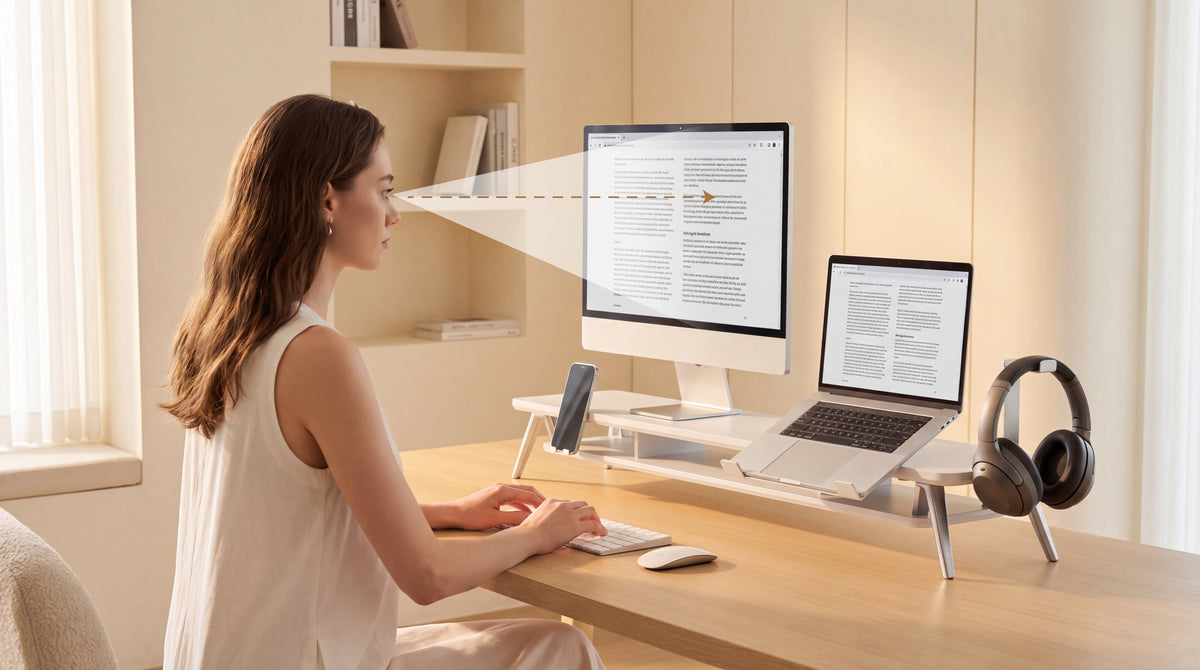
If your monitor is too low, you may slowly lean forward or tilt your head down. If it is too high, you may lift your chin and create tension across your neck and shoulders. The right height is the one that lets you work with a relaxed, neutral posture for long periods.
As a practical starting point, position the top edge of the screen at or slightly below eye level when you are sitting naturally. Your eyes should look gently downward toward the middle of the display, rather than forcing your neck to bend. Keep the screen far enough away that you can read without leaning forward.
This guide explains how to raise a computer monitor on your desk, how to measure the final position, and when a monitor riser or an adjustable arm is the better tool.
Quick Answer: How High Should Your Monitor Be?
For most seated desk setups:
- Place the top edge of the monitor at approximately eye level or a little lower.
- Let your natural gaze fall slightly downward toward the center of the screen.
- Keep your head stacked comfortably over your shoulders instead of reaching your chin toward the display.
- Position the screen far enough away that you can read normal text without leaning forward.
- Keep the monitor directly in front of you so you do not rotate your neck throughout the day.
These are starting points, not rigid measurements. Your ideal position changes with screen size, glasses, chair height, desk height, and whether you use one monitor or several.
How to Raise Computer Monitor on Desk: A Five-Step Setup
1. Set your chair and desk first
Sit with your feet supported and your shoulders relaxed. Adjust the chair so your elbows can rest near your sides while your forearms reach the keyboard without shrugging. Do not raise the monitor before setting your own seated position; otherwise, you may compensate for a chair or desk that is already too high or too low.
2. Find your natural eye level
Look straight ahead without lifting your chin. Ask someone to observe the position, or use a side-view photo for a more objective check. The top bezel should be close to eye level, with the main content area slightly below it.
People who wear progressive or reading lenses may prefer a slightly lower screen. The goal is to avoid repeatedly tipping your head backward to see through the correct part of your lenses.
3. Move the screen to the correct distance
Start at roughly an arm's length and adjust until text is clear without leaning forward. A larger or ultrawide display may need to sit farther away. If you increase browser zoom or text size, you can often maintain a comfortable distance without moving the screen closer.
4. Center the monitor with your body
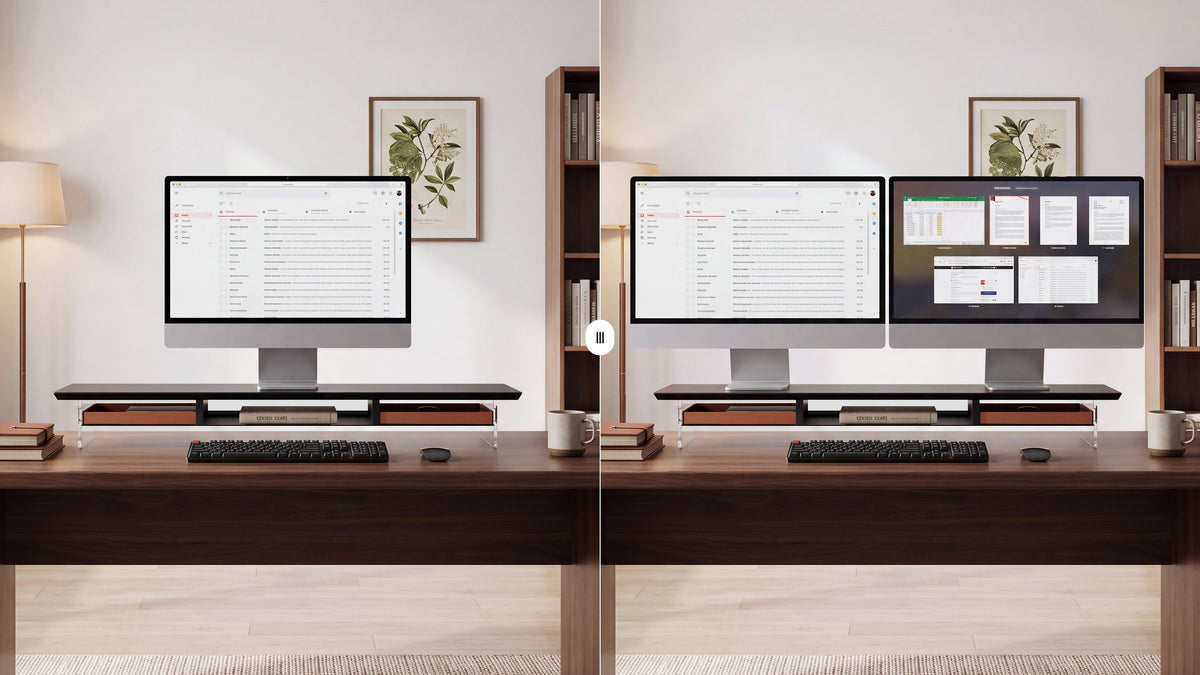
Your nose, keyboard, and primary monitor should form a comfortable center line. With two screens, center the display you use most. If both screens are equally important, place the join between them in front of your nose and keep both panels at a similar height and distance.
5. Recheck after a normal work session
Use the setup for 30 to 60 minutes, then check how your neck, shoulders, and eyes feel. A position that looks correct for a few seconds may still encourage forward leaning during real work. Make one small adjustment at a time and observe the result.
Signs Your Monitor Is Too Low or Too High
The most useful feedback comes from your posture and workflow, not from a single measurement.

Your monitor may be too low if you notice:
- your chin drifting toward your chest;
- your upper back rounding while you read;
- frequent neck stiffness after screen work; or
- a habit of placing books under the display to make it easier to see.
Your monitor may be too high if you notice:
- your chin lifting to view the upper half of the screen;
- tension at the base of the skull;
- shoulder elevation or a compressed feeling in the upper back; or
- a need to look through the lower part of your lenses.
These signs can have multiple causes, including chair height, lighting, text size, and work habits. Adjust gradually and seek professional advice for persistent pain or numbness.
The Relationship Between Monitor Height and Proper Sitting Posture at Computer
Monitor height is only one part of a comfortable workstation. Even the best screen raiser will not fix a chair that leaves your feet unsupported or a keyboard that forces your shoulders upward.
Aim for a neutral setup:
- feet supported by the floor or a footrest;
- shoulders relaxed rather than pulled toward the ears;
- elbows close to the body and wrists in a comfortable line;
- hips and knees supported by the chair; and
- the monitor centered and easy to read without forward head movement.
The phrase best computer posture does not describe one perfect pose. It describes a posture you can maintain comfortably while changing position regularly. Stand up, look away from the screen, and move your shoulders and neck during the workday.
How Much Height Should You Add?

Measure before buying a stand. Sit in your normal working position and measure the vertical distance between the current top edge of the screen and the height that feels natural. That difference is the approximate lift you need.
Do not choose a riser only by its advertised height. Also check:
- the monitor's total weight, including its original base;
- the platform width and depth;
- the amount of space left for your keyboard and mouse;
- whether the base remains stable when you type; and
- whether the screen can be centered without overhanging the platform.
A small lift may be enough for one person, while another user may need a taller platform because of chair height or desk design. If several people share the desk, an adjustable solution may be more practical than a fixed-height platform.
Choosing a computer monitor riser or an Adjustable Arm
Choose a monitor riser for a stable fixed desk
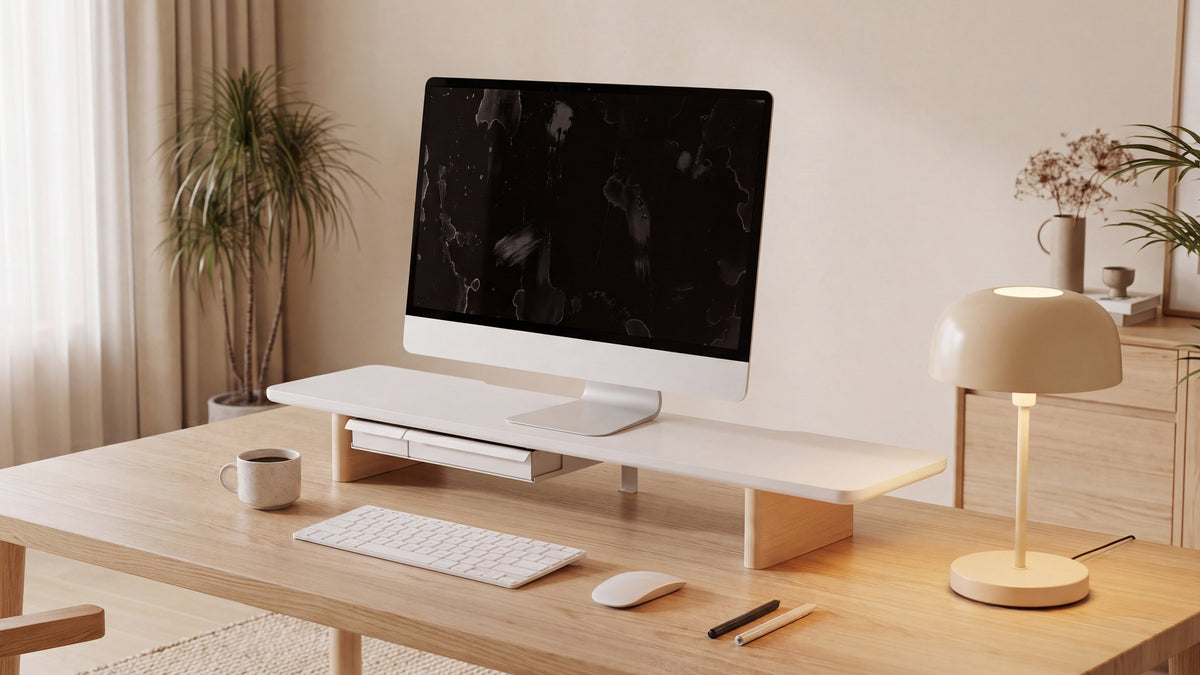
A computer monitor riser is a good choice when one person uses a fixed-height desk and the screen mainly needs a one-time height adjustment. The platform supports the display across a broad surface and often creates useful storage below it.
A monitor riser for desk setups can also suit monitors that do not have VESA mounting holes. You use the monitor's existing base, verify the weight rating, and avoid clamp installation. This makes a riser especially convenient for renters, shared offices, and furniture where you do not want to attach hardware.
Choose an ergonomic monitor stand when movement matters
An ergonomic monitor stand or arm may be better when multiple people share the workstation, when you alternate between sitting and standing, or when you rotate the screen for coding and long documents. More adjustment is useful only when your workflow actually needs it.
Choose an adjustable monitor stand for desk when users differ
An adjustable monitor stand for desk use can help when users have different heights or when the desk changes between seated and standing work. Check the adjustment range, supported monitor weight, VESA pattern, clamp clearance, and cable path before purchasing.
Where a Computer Monitor Heightening Shelf Helps
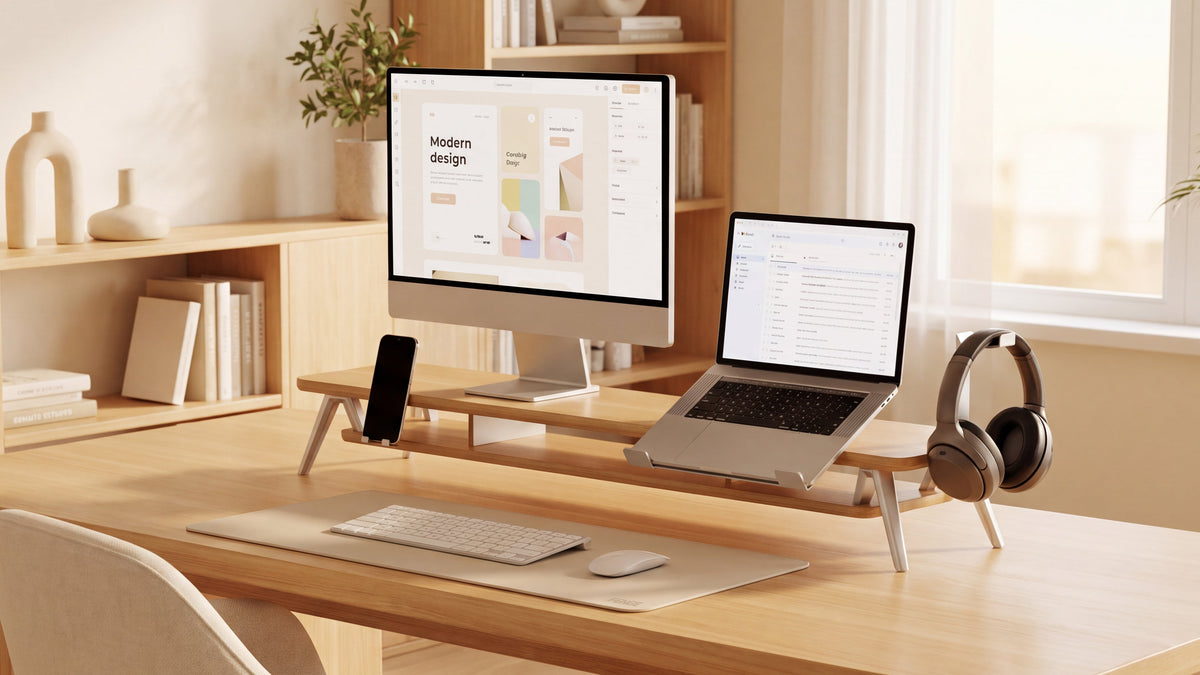
A shelf-style riser combines screen elevation with vertical organization. The space below the platform can hold a keyboard, notebook, laptop, or docking accessories. This can make a compact desk feel less crowded without adding a separate storage box.
Use the shelf as part of the setup, not as a place to stack unstable objects. Keep the monitor's weight centered and leave enough clearance for ventilation and cable movement. If the shelf is too high, the storage benefit is not worth the resulting neck position.
Seated, Standing, and Laptop Setups
Seated workstation
Use the seated position as the reference point. Adjust the chair and keyboard first, then set the monitor so you can read with a relaxed downward gaze. Recheck the height if you change chairs or add a seat cushion.
Sit-stand workstation
The correct height changes when you move from sitting to standing. A fixed riser may be comfortable in one position and wrong in the other. Consider an adjustable arm or a stable standing-desk converter that allows the display to move with you.
Laptop workstation
Raising a laptop screen can improve viewing height, but an external keyboard and mouse are usually needed to keep your hands in a comfortable position. A laptop riser is useful when it provides the required height without making the keyboard too high for your wrists.
A Simple Daily Check
Before starting work, take ten seconds to check:
- Is the monitor centered with your body?
- Can you read the screen without reaching your head forward?
- Are your shoulders relaxed and your feet supported?
- Is glare making you lean or squint?
- Have you changed position recently?
This small routine is more effective than setting a number once and never reassessing it. Your posture changes with fatigue, lighting, clothing, and the type of work on the screen.
FENGE Recommendation

For a fixed home office or study desk, FENGE recommends starting with a stable monitor riser when the screen only needs a one-time height adjustment. It can raise the display, provide organized storage underneath, and integrate more naturally with a furniture-focused workspace.
If you frequently alternate between sitting and standing, share the workstation, or need portrait rotation, consider an adjustable arm instead. The best solution is the one that lets you keep a neutral position consistently without adding unnecessary complexity.
We recommend browsing the FENGE monitor stands collection before you buy. Compare platform dimensions, storage layouts, and monitor weight capacity so the product matches your desk and display.
Rodin Series: Sculptural Strength for Everyday Work
Inspired by Rodin's sculptural strength, the Rodin Series blends bold structure with modular flexibility, crafted to elevate your setup and suit a variety of working styles. Its premium models include the Rodin A510 and Rodin A520. Both use solid wood and FENGE's distinctive M-shaped support legs. The natural wood grain remains visible across the desktop surface, giving the monitor stand a durable, timeless character rather than a disposable look.
Matrix Series: Modular Organization for a More Personal Desk
The Matrix Series is FENGE's new premium desktop monitor-stand system, introduced in 2026. Matrix transforms clutter into clarity through modular organization, hidden storage, and natural materials, creating a workspace where focus returns and ideas flow. FENGE is building a complete desktop ecosystem around the Matrix Series, while allowing each person to create a unique layout around their own habits and needs.
Whether you choose a classic Rodin platform or a modular Matrix setup, confirm the product's actual dimensions, platform height, and supported weight before publishing or purchasing.
Frequently Asked Questions
Should the top of my monitor be above or below eye level?
For most seated users, the top edge should be around eye level or slightly below. Your eyes should look gently downward toward the middle of the screen without lifting your chin. Adjust for glasses, screen size, and personal comfort.
What is the easiest way to raise a computer monitor?
Use a stable monitor riser, shelf, or other product designed to support the monitor's total weight. Measure the lift you need first, then verify platform width, depth, and stability. Do not use loose stacks of books or objects that can slide.
Is a monitor arm better for ergonomics?
A monitor arm is better when you need frequent height, distance, or angle changes. A monitor riser can be equally effective for a stable, single-user workstation when it places the screen at a comfortable height.
How far should I sit from my monitor?
Start at approximately an arm's length and adjust until normal text is clear without leaning forward. Larger displays may need more distance. Text size, lighting, and vision correction also affect comfort.
Can a monitor riser help with neck strain?
It may help if the current monitor is too low and causes repeated downward head movement. A riser is not a medical treatment, and persistent pain, numbness, or weakness should be assessed by a qualified professional.
Final Recommendation
The right monitor height is the position that lets you read comfortably with your head balanced over your shoulders. Start with eye level, check the viewing distance, center the screen, and test the setup during real work.
Use a monitor riser when you want a stable, simple height adjustment and useful under-monitor storage. Use an adjustable stand or arm when the monitor must move with different users or working positions.
The goal is not to find one universal number. It is to build a workstation that supports a relaxed posture and can be adjusted as your work changes.
Read more
The Ergonomics of Monitor Risers: Protect Your Neck, Spine, and Workflow
Share:
One Week to Labor Day: A Gentle Nudge Towards Balance
How to Measure for a Monitor Riser Size Before You Buy