

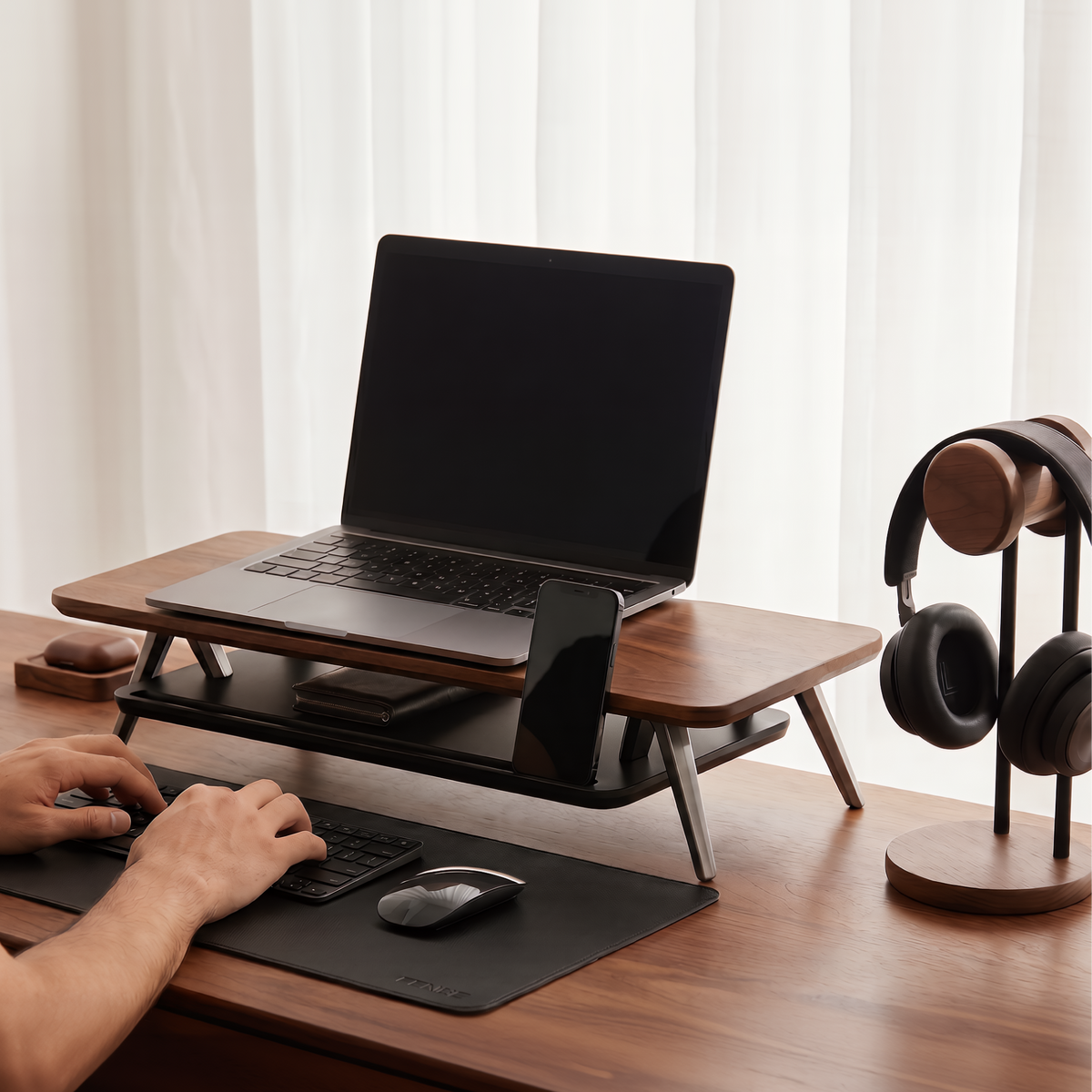
If opening a notebook means moving your keyboard, start with the layout. Remove items you rarely use, reserve space for your daily tasks, and give loose accessories a home. A monitor riser can add storage beneath your screen when it fits your equipment and leaves enough working room.
Good small desk organization makes everyday tasks easier. You should be able to type, use your mouse, and write a note without constantly moving objects aside.
Use these seven steps to make more of the desk you already own.

1. Clear the Desk and Identify Your Daily Essentials
Remove loose items while leaving heavy or connected equipment in place. Sort what you find by how often you use it.
Return your daily essentials first. Your keyboard, mouse, and current notebook probably deserve surface space. Spare adapters, old receipts, and extra stationery can go in a nearby drawer or container.
If you are unsure about an item, store it nearby for a week. Notice whether you retrieve it before giving it a permanent desktop location.
We recommend sorting first and choosing organizers afterward. This keeps you from buying storage for things you no longer need at your desk.
2. Reserve Space for the Tasks You Actually Do
Place your keyboard and mouse within comfortable reach. Then open your usual notebook or position your drawing tablet beside them.
Reserve that space for the task itself. Move pen cups, decorations, and inactive paperwork elsewhere if they get in the way.
Test a normal sequence: type a paragraph, move the mouse, and write a note. If you have to move the same object twice, give it another home.
3. Use a Monitor Riser Where It Creates Usable Storage
A shelf-style monitor riser supports the original monitor base above the desktop. Its open space can hold a notebook during computer work or a keyboard while you handle paperwork.
Choose what will go beneath the shelf before you choose the stand. A full-size keyboard needs more clearance than a slim notebook.
The stand itself has a footprint. It helps when the space beneath replaces items currently spread across the surface.
Measure the Stand, the Monitor Base, and the Storage Opening
Compare your measurements with the exact product specifications:
- The supported top surface fully accommodates your monitor base.
- The stated load limit covers everything you will place on the stand.
- The clear opening fits your keyboard or other intended items.
- The shelf depth leaves room for your normal working position.
- The final screen height lets you read comfortably.
For example, a 44 cm keyboard will not pass through a 43 cm opening. Overall stand width does not tell you the usable distance between the supports.
Use our guide to measuring for a monitor riser before buying as you compare the fit.
Check screen height from your usual seated position. If the monitor already sits high, a fixed-height riser may raise it too far.
Our guide to how high your monitor should be addresses this part of the setup.

4. Match Open Storage and Drawers to Your Accessories
Match each storage space to a specific item. Avoid filling every opening simply because it is available.
| Item | Suitable storage | Fit check |
|---|---|---|
| Keyboard between tasks | Open space beneath the monitor stand | Clear opening and room to grasp it |
| Pens and small adapters | Existing divided container or a drawer | Internal dimensions and access |
| Current notebook | Open shelf or writing area | Retrieval without moving equipment |
| Spare cables | Labeled pouch in nearby storage | Separate from everyday accessories |
Drawers need space to open. If a drawer hits your keyboard, the layout will interrupt your work even when everything fits inside.
If loose accessories cause most of the clutter, our monitor stand with drawer buying guide can help you compare storage layouts.
Keep laptop vents clear if you use the space beneath a shelf for an operating device. Follow the device manufacturer's ventilation guidance.
5. Route Cables Along One Edge of the Desk
A charging lead across the mouse area uses space you need for work. Route fixed cables along the rear or side edge of the desk.
- Remove cables you no longer use.
- Group fixed equipment cables loosely with reusable ties.
- Secure them along the chosen edge with suitable clips.
- Leave slack for screen adjustments and device removal.
Keep your daily charging lead separate and within reach. Position power adapters where air can circulate and connections remain accessible.
If you use two screens, see our guide to organizing cables on a dual-monitor desk for the related setup.
6. Make Room for Work and Other Activities
A desk used for work, study, and crafts does not need every activity's supplies on display at once.
Keep each project's materials in an existing tray or container nearby. Bring only the current project's supplies to the surface and return them when you finish.
This also makes a shared desk easier to clear for the next person. Keep containers away from your leg space so you can sit comfortably.
For a related visual example, see a small desk setup before and after adding a monitor riser.
7. Reset the Desk Before You Finish Work
Keep the reset short enough to repeat:
- Return accessories to their assigned storage.
- File loose paperwork or place it in the review tray.
- Remove items that belong elsewhere.
- Clear the area needed for your next task.
After a week, notice what repeatedly stays on the surface. An adapter you use every day may need a closer storage spot. Small desk organization lasts longer when the easiest place to return something is also its assigned home.
Frequently Asked Questions
How can I organize a small desk without drawers?
Use one existing container for small accessories and nearby storage for occasional-use supplies. If you add a monitor riser, keep its opening accessible for your notebook or keyboard between tasks.
Does a monitor stand save desk space?
A shelf-style monitor stand creates storage beneath the screen. It helps when that storage replaces items elsewhere on the desktop. Check its footprint, usable clearance, and effect on screen height before buying.
What should I keep on a small desk?
Keep the equipment and supplies you use during your normal workday. Prioritize comfortable keyboard and mouse positions, then reserve space for your current task. Store spare accessories and inactive projects nearby.
Find a Monitor Stand That Fits Your Existing Desk
Before choosing a FENGE monitor stand, write your available desk dimensions and what you want to store beneath the screen.
Compare each model's footprint, storage clearance, load limit, and height with those notes. The right fit should let you open your notebook and retrieve daily essentials without rearranging the desk.

Share:
The Rodin Desktop Ecosystem: Architecture, Harmony, and Modern Tactile Sanctuary
How to Choose the Right Desk Shelf Color for Your Workspace